 WANTED
Before you start
Tick these as you go. Progress stays in this browser.
Match the landmark to the region
| Place or clue | Region to look in |
|---|---|
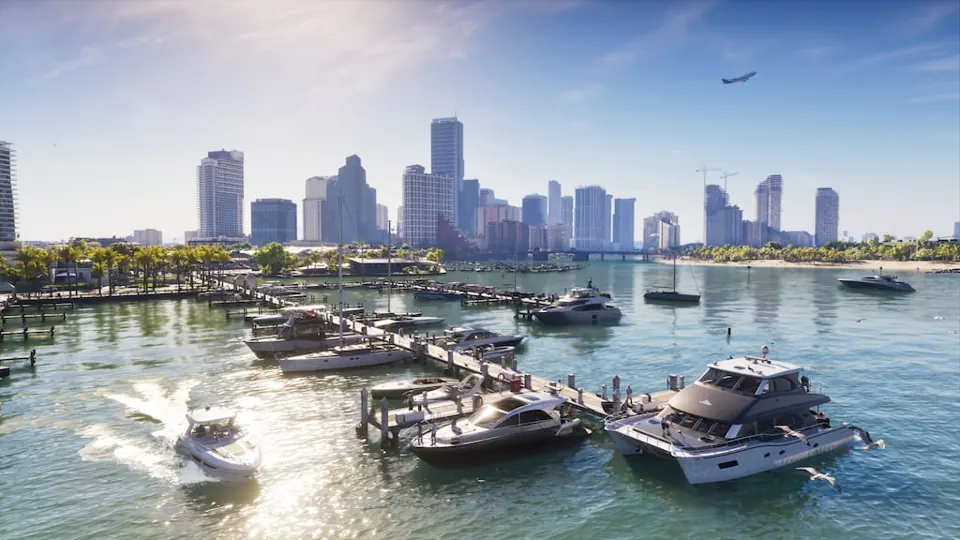
| Ocean Beach hotels, Little Cuba, Tisha-Wocka flea market, VC Port | Vice City |
| Island chain and waterfront settlements | Leonida Keys |
| Mangrove channels and alligator wetlands | Grassrivers |
| Run-down holiday motels and shuttered attractions | Port Gellhorn |
| Allied Crystal sugar refinery | Ambrosia |
| National park and backcountry trails along the northern border | Mount Kalaga |
Get the official road map
Open Rockstar’s Artwork & Wallpapers gallery and choose Leonida Map & Cover Art Poster. Select the map from that item. Open it beside the game when you want to trace a road or see which town a guide is talking about.
Looking for an individual activity? Follow the IGN interactive guide linked in Rockstar’s launch announcement. Use the printed map for the broader journey and the interactive guide for individual points of interest.
Two names that can send you the wrong way
VC Port is a Vice City landmark. Port Gellhorn is a different region. Check the complete name in your clue before setting out. Similarly, an objective naming Ocean Beach is more specific than one naming Vice City: narrow your search to the neighborhood.
Once you have a destination, the taxi and transit guide explains how to reach a waypoint or select a scheduled stop.
Set a waypoint that gives you driving directions
Once you know the landmark, pause and open Map. Move the map until the center ring sits on your destination. Read the prompts along the bottom. On the PS5 full map, Cross selects Set Destination. Square selects Add Marker, useful for marking somewhere you want to revisit later. Use the Set Destination prompt on your own controller when you want a driving route.
Return to the game and check the minimap from inside a vehicle. If you can see streets but no route line, open Pause → Settings → UI → Navigation and switch GPS Route to On. If the line is already visible but you want directions for upcoming turns, change GPS Turn Indicators in that same group.
Keep the minimap visible or call it up on demand
You can change your original navigation choice during play. Under Settings → UI → Navigation, set Minimap to On to keep the street map visible during ordinary play. Choose Dynamic if you prefer it to appear as needed. On the default controls, tap Down on the D-pad when you want to check it. The compass has its own row, so you can adjust it separately.
Read the label beside a distance when navigating. A distance beside a turn instruction measures how soon to make that turn. A distance attached to a destination icon on the compass refers to the marker itself. You can see both numbers on the same drive.
Sources & checks
Reviewed November 27, 2026. Written from the sources below; not an independent in-game playtest. Platform, chapter and reported limitations are kept explicit.
- Rockstar Games on PlayStation Blog — six regions and their landmarks
- Rockstar Games — official map and artwork downloads
- Rockstar Newswire — interactive guide and printable map
- Rockstar Support — settings menu and Navigation under UI
- AllThings.How — illustrated full-map controls on PS5
- NerdsChalk — in-game Navigation Experience and Settings screens
- GTA6DATA — map prompts, GPS Route and distances in a captured drive
- AllThings.How — illustrated minimap, GPS Route and default Objective / Minimap control