 WANTED
Before you start
Tick these as you go. Progress stays in this browser.
Set up over the fishing spot
If you still need gear, pick up the free rod and check its starter lures before taking a boat to the marker.
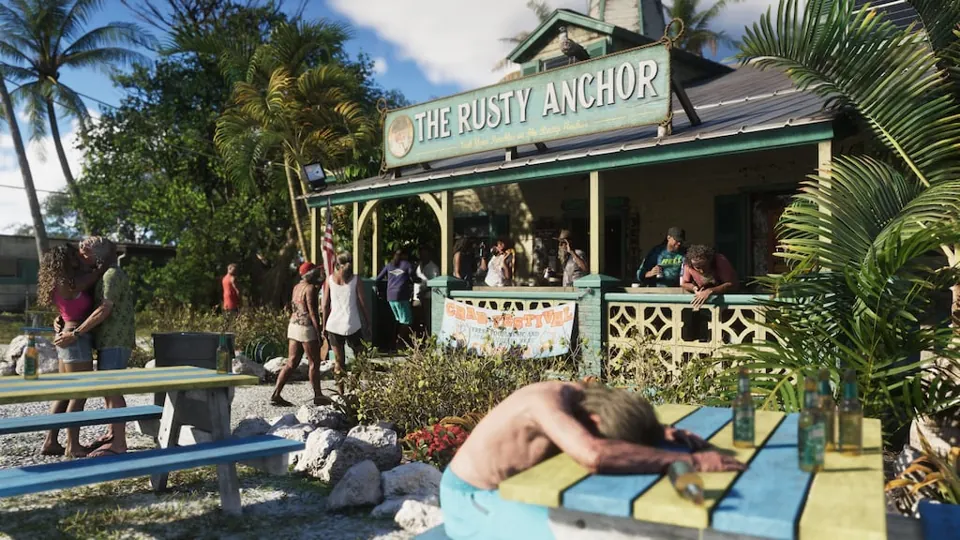
The challenge marker points to water in Mariana County. Take a boat there and choose Anchor from its vehicle menu before you take out the rod. If Jason’s original boat is gone, PowerPyx suggests checking the docks by The Rusty Anchor. Once on the spot, cycle the lower-right equipment slot to the rod and select the small saltwater lure.
Cast, hook, then reel
Hold L2 on PS5 or LT on Xbox to grip the rod. Hold R2 or RT to draw it back, then release that trigger to cast. Make slow circles with the right stick to work the lure. When you get a bite, press R2 or RT to hook the fish.
After the bite, watch which action is active. While the fish is fighting, stop reeling and pull the left stick against its direction of travel. When it tires, reel with the right stick on the default setting. A fish can start fighting again before it reaches the boat. Switch back to the left stick and repeat the cycle.
Read the catch card before releasing
The name must read Stoplight Parrotfish. Next, compare the displayed weight with Cal’s two pounds. A fish weighing exactly 2 lb is short of the objective. The illustrated walkthrough shows a qualifying 2 lb 9 oz specimen. A heavier fish of another species still leaves the challenge open.
When the photo option appears, use Cross on PlayStation or A on Xbox to send the shot to Cal. This completes the challenge and awards Baited My Tackle. If the prompt is missing, check the challenge text, species and weight before changing your equipment.
Reel with a button if the fish keeps escaping
Pause and open Settings → Gameplay. In the Accessibility group, find Fishing and change Rotate to Hold. The next time a hooked fish tires, hold Square on PS5 or X on Xbox to bring it in. When it starts splashing again, release the button and use the left stick to control it.
This changes the reeling input. If the hook prompt is still dim, work the lure and wait for a bite. If you have hooked a fish, check the cancel prompt before pressing it: on Xbox the B button changes from resetting a cast to cutting the line.
Where to get the rod and which lure to equip
Cal’s first challenge costs nothing to start. Walk down to the dock behind Jason’s house in Key Lento and look for the Fishing Rod pickup on the rack. You can also pick up a rod on Jason’s boat beside the dock.
- At the water’s edge, hold L1 on PS5 or LB on Xbox. Point the right stick at the equipment slot at the bottom right. If it shows binoculars or a flashlight, keep the slot highlighted and tap R2 / RT until the fishing rod appears.
- Equip the rod and read the lure name above Grip in the lower-right corner. You start with two small lures. If the freshwater one is showing, use the on-screen D-pad prompt to switch to Small Saltwater Lure for the Stoplight Parrotfish.
Where to buy the lure for Cal’s next challenge
Check the fish named in Cal’s text before making a shopping trip. The parrotfish takes the starter lure. When he asks you to beat his 6 lb Atlantic Spadefish, go to Chuck’s Tackle & Shot near Jason’s house in Key Lento. Turn left as you enter, open Fishing Lures at the counter and buy the Medium Saltwater Lure. At Cal’s new fishing spot, equip the rod and check that the medium lure’s name appears above Grip before you cast.
Sources & checks
Reviewed November 27, 2026. Written from the sources below; not an independent in-game playtest. Platform, chapter and reported limitations are kept explicit.
- PowerPyx — mission unlock, lure and submission prompt
- PowerPyx — default fishing controls during Recalibration
- eXputer — in-game images of the spot and a qualifying catch
- The Leonida — PS5 fishing prompts and accessibility menu
- Vtomes — Xbox hook, reel and cut-line prompts
- AllThings.How — PS5 screenshots of the fight and reel phases
- Cronus Wiki — PS5 Fishing settings and Hold input
- GTA Playbook — PS5 fishing prompts, Key Lento rod rack and lure counter
- Shacknews — fishing from Jason’s dock with the two starter lures
- Dexerto — dock pickup, shop layout and both of Cal’s lure choices